
Field Level Hazard Assessments
(FLHA)
Improve your safety program and reduce incidents while saving time and money with online hazard assessment software.
Field Level Hazard Assessment (FLHA) Software
Secure Online Document Storage, Access, and Sign-Off
Whether you call them Field Level Risk Assessments (FLRAs) or Field Level Hazard Assessments (FLHAs), they help your workers identify and assess hazards within their work environment. However, the inconvenience of carrying around and storing paperwork, clipboards, and writing utensils is frustrating.
Imagine if these forms were available online and could be completed with a smartphone or tablet whenever and wherever you need. Using digital field level hazard assessment forms, your workers can do just that. Plus, you can instantly get reporting details, trending data, and tracking on important safety issues. But that’s just the beginning…

Hazard Management Made Easy
With the hazard assessment software, hazard identification checklists are completely customizable to your company’s needs. Just use our form builder technology to include special form features like:
Checkboxes
Build a detailed list of common hazards found at each work site, then have workers check off those present during the FLRA. Depending on the severity of each hazard, you can program notifications to supervisors when certain checkboxes are selected.
Open Text Fields
Have workers create their own lists of the hazards found, then automatically assign the assessment to a supervisor to review. Or leave open text fields for workers to make notes on what caused the hazard and hazard controls used.
Dropdown Lists
Assess multiple tasks on the same form using customized dropdown lists. Workers select the task, and a customized hazard checklist will appear for each task. Or allow the form to automatically duplicate each checklist to keep data consistent.
Image/Video Integration
Allow workers to upload images and videos to their hazard assessments, giving you a better look at what’s being found on site. You can also include videos straight into the form for workers to view, allowing you to provide detailed instructions without confusion or misinterpretation.
Calculation Fields
Streamline your risk analysis process by providing calculations for rating the probability, severity, and frequency of hazards. Workers rate the three categories of risk from 1–3, then the hazard assessment software generates a comprehensive automated report to help identify risk levels and hazard prioritization in real time.
Document Uploader
Allow workers to upload any appropriate permits/confirmations directly into the form with any cellphone or tablet with an integrated device webcam.
Customizable Required Fields
Ensure your workers’ safety by specifying what fields are required. You can even specify the circumstances under which a particular field is required. If not checked, the form can be flagged for supervisor review.
Date and Time Stamps
Track the frequency and regularity of your FLHAs by recording the date and time of each assessment.
Electronic Signatures
Use the software’s electronic signature capability to ensure workers are signing off on their hazard assessments. Then program the assessment to assign to supervisors upon completion and have them provide electronic signoff as well.
Additional Features
Our hazard assessment software does more than provide you with the convenience of digital forms; it improves your reporting and tracking for more accurate and efficient hazard mitigation. Here are just some of the additional ways we can help you better your FLRA processes:
Automatic Assignment
All it takes to ensure your hazard assessments are going to the right workers is a few clicks of a button. Choose to assign specific forms by user role, location, equipment, or even on an individual basis, then sit back while our software hands the forms out for you.
Instant Submission
No more waiting around for hazard assessments to come across your desk. The second your worker hits Submit, the form is instantly uploaded and ready for review.
Cloud Storage
You’ll never have to worry about where or how to access completed forms ever again. All forms are stored on our secure, cloud-based server, so you can see all completed hazard assessments whether in the office or out in the field.
Paperless Records
Administrative costs too high? Eliminate the costs by going paperless. Not only will you save money, but you’ll also gain peace of mind knowing your paperless records won’t get lost of misfiled.
Escalated Notifications
You already know that you can specify certain responses and fields to trigger notifications to supervisors for follow-ups, but the hazard assessment software’s notification capabilities go beyond that. With escalated notifications, you can specify individuals to follow up on forms if action is not taken by a supervisor after a specified length of time.
Excel Reporting
We keep our reports informative, accessible, and user friendly with the help of Excel spreadsheets. Our reports also provide trending data so that you can keep track of hazards that are frequently appearing and work to better mitigate them. Reports are also available in PDF form for added accessibility.
Action Plan!
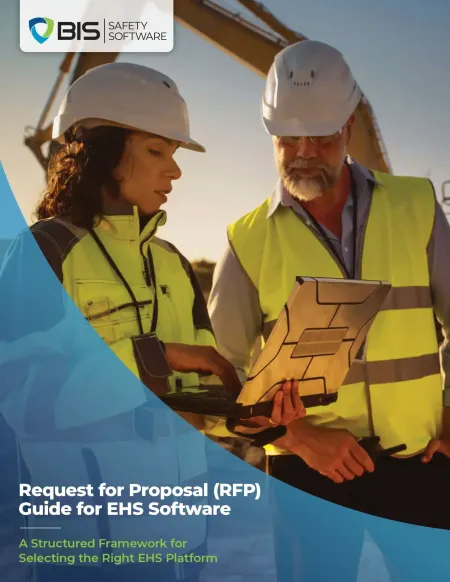
EHS Software RFP Guide
Make EHS Software Selection More Structured
This guide helps you:
- Clarify current workflow gaps
- Test systems against real scenarios
- Align stakeholders early
- Reduce bias in vendor review
- Choose with more confidence
Ready to Get Started?
No matter what you call them, Field Level Hazard Assessments can help your company identify threats to personal and commercial property and stay safer on the job. For more information on pricing you can head to our Contact Us page and our experts can help you to get pricing for our Digital Forms module.
Learn more about how this system can help with these three easy steps.
Step 1 – Contact Our Team
If you are interested in learning more about Field Level Hazard Assessments, reach out to our team, and let them know you would like to get started! They can answer any questions and get things rolling.
Step 2 – Launch Your Branded Portal
Using your companies colors and assets as inspiration, we can design a custom branded portal for your forms, automated workflows, reporting, and more.
Step 3 – Professional Onboarding
Our team of dedicated onboarding specialists will work with you to ensure your business understands the BIStrainer system and how to utilize it to the fullest.
Get Started
Interested in seeing how our hazard assessment software could work for you? Contact us today for a free demo